Task board vs to-do list: which one a small team actually needs
The short answer
Use a to-do list for short, personal work that can be completed in order. Use a task board when work moves between people or needs a visible status. If an item exists mainly because of a date, make it a reminder; if it gathers files, notes, and follow-ups, make it a project.
In short
- Personal and same-day work belongs on a to-do list.
- Shared work in motion belongs on a task board.
- Date-only commitments are reminders.
- Work with its own context belongs in a project.
Teams argue about tools when the real question is simpler: is this work you do alone today, or work that passes between people over several days? Those two situations want different shapes.
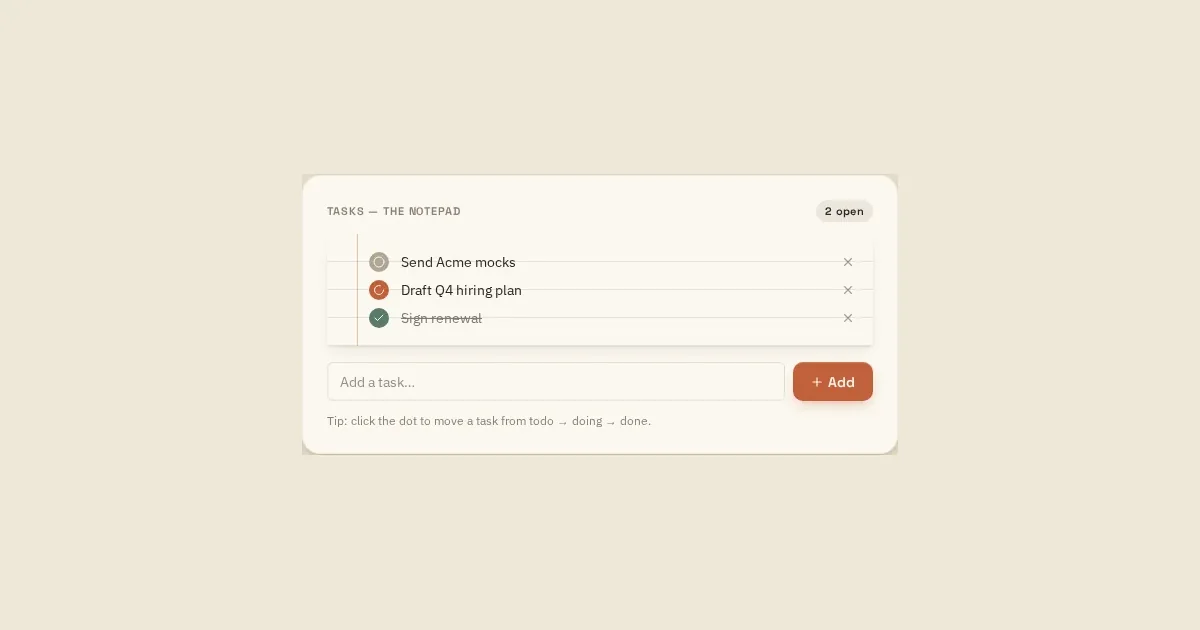
A to-do list answers: what do I do next?
Lists are ordered, personal and short-lived. They are excellent for a single day and for work that has no handoff. Their weakness is state — a list tells you an item exists, not whether it is halfway done or waiting on someone else.
A task board answers: where is this work?
A board trades ordering for status. Columns make stalled work visible: if 'doing' has eleven cards and two people, the board has already told you something a list never would.
Boards pay off the moment more than one person touches the same piece of work.
A quick way to choose
- Work finishes the same day, by one person → list.
- Work passes to someone else → board.
- Work has a deadline but no doing → that is a reminder, not either of them.
- Work spans weeks with its own notes and files → that is a project.
Running both without extra tools
Most small teams need a board for shared work and a personal list for the day, and end up buying two products for it. They are the same data seen two ways: a personal list is simply today's slice of the board.
On Loveley Desk the notepad shows your tasks with a to do / doing / done status, sticky reminders carry the date-based items, and projects hold longer work with their own tasks, reminders and journal. A morning Day Ahead email sends today's slice so the list writes itself.
Example: classifying one client deliverable
Use the shape of the work—not the tool you already have open—to decide where it belongs.
- “Sketch the first idea today” is a personal to-do.
- “Prepare and approve the client proposal” is a shared task with a status and one owner.
- “Send the proposal on 18 September” is a dated reminder.
- The full engagement becomes a project once it has files, notes, tasks, contacts, and follow-ups.
Put the workflow into practice
Common questions
Is a task board better than a to-do list?
Neither is universally better. A list is faster for personal, sequential work; a board is clearer for shared work that moves through visible stages.
When should a to-do become a project?
Turn it into a project when it develops its own files, notes, milestones, contacts, or follow-up reminders and can no longer be understood from one line.
Should every task have a due date?
No. Use due dates for real commitments or expiry points. Dating every task makes genuinely time-sensitive work harder to distinguish.
Sources and further reading
- Atlassian: Kanban boards — Background on visualising workflow and work capacity with a board.
- Atlassian: Working with WIP limits for Kanban — Explains how limiting work in progress helps reveal bottlenecks.
Read next
- Task management for teams of two to five people
- How to run a small team without heavy project management software
- Everything on the Loveley Desk — the full feature list.
- Pricing — what the free Solo Desk includes, and what a team adds.
- Loveley Desk vs Trello — a side-by-side comparison.
Try the desk
Tasks, sticky reminders, files, a corkboard and a daily journal in one calm place. Solo Desk is free, and the demo needs no account.